GeniGPT vs ChatGPT for image editing
Search for a free ChatGPT photo editor and you run into two facts at once. ChatGPT really can edit a photo from a typed instruction — and the free route to it has friction: an OpenAI account, a small daily cap, and a lower-priority queue. GeniGPT's AI photo editor does the same kind of typed editing in the browser, with no signup, and your first 3 generations are free. Below is an honest comparison, including the places where ChatGPT is simply better. One thing up front: GeniGPT is an independent tool, not affiliated with OpenAI.
How they differ at a glance
Both tools edit a photo the same way — you upload it and type what you want changed. The differences are practical: what you must sign up for, how many free edits you get, what ships inside the file, how long you wait, and what each will refuse. The table reflects what we could verify on July 2, 2026.
| ChatGPT | GeniGPT | |
|---|---|---|
| Signup | OpenAI account required for image generation and editing, as of July 2026 | None — no account, no card |
| Free allowance | Roughly 2–3 images per rolling 24-hour day on the free plan, as of July 2026; paid plans raise the cap | Your first 3 generations are free — a lifetime trial, not a daily allowance; Pro credits after that |
| Watermark and metadata | No visible watermark in normal use; C2PA provenance metadata plus an invisible watermark embedded in the image | No watermark on any download; invisible IPTC provenance metadata, disclosed |
| Wait and queue | Free requests sit in a lower-priority queue; roughly 15–60+ seconds per image, slower at peak hours | About a minute; complex prompts can take a few minutes |
| Resolution | Standard presets of 1024×1024, 1536×1024, or 1024×1536; newer model versions add 2K output and more aspect ratios | Typically 1,000–1,800 px on the long side; portrait by default, other aspect ratios on Pro |
| Moderation approach | OpenAI's content policy; conservative around real people, and cautious filters sometimes refuse harmless edits | Lighter moderation, fewer false refusals on everyday creative prompts; prohibited: illegal content, sexual content involving minors, and images of real people without consent |
OpenAI's caps and queue behavior shift with demand and rollout, so treat the ChatGPT column as a July 2026 snapshot, not a promise.
Where ChatGPT is genuinely better
ChatGPT's strength is the conversation around the edit. It remembers everything said earlier, so you can refine an image over many turns, ask why a change looks off, or fold the edit into a larger task — a deck, a listing, a plan. If you already pay for ChatGPT Plus, the free-tier caps mostly stop mattering.
- Conversational iteration. You can push the same image through many rounds — warmer light, now remove the mug too — and it keeps the thread. GeniGPT edits are more one-shot: you refine by re-running with a fuller prompt.
- Context. The edit can sit inside a bigger job, and ChatGPT carries what it already knows about that job into the image.
- Ecosystem. Apps on every platform and history synced to your account; paying for Plus loosens the caps and shortens the queue. The per-plan numbers are in our breakdown of ChatGPT's image limits.
Where GeniGPT is the practical pick
GeniGPT is built for the person who just wants the edited file. There is no account to create, no app to install, and no daily meter — your first 3 generations are free, then Pro credits are pay-as-you-go. Results arrive in about a minute at 1,000–1,800 px, with no watermark on the download.
- No account. Open the editor, upload a JPG, PNG, or WebP, type the change, download.
- A trial without a meter. Your first 3 generations are free — there is no daily allowance to wait on.
- Multi-photo edits. Up to 4 photos can go into a single edit — useful for combining people or products into one scene.
- Fewer false refusals. Everyday creative prompts that trip cautious filters elsewhere tend to just run.
- Plain privacy terms. Uploads are used only to run the service, with deletion on request — details in the privacy policy.
GeniGPT is not the only no-signup route, either — we keep an honest list of free AI photo editors that skip signup.
The same kind of edit, run in GeniGPT
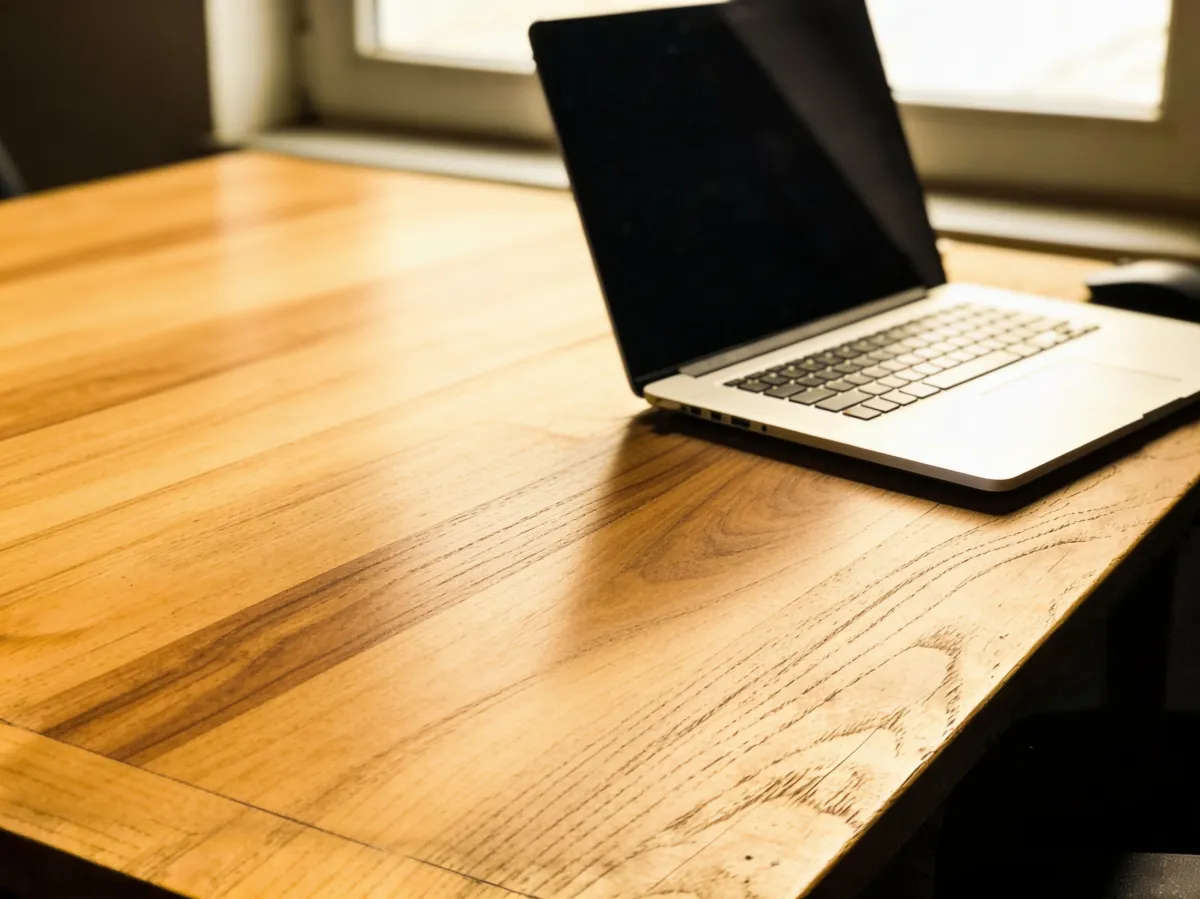
Here is a typical typed edit, run in GeniGPT's AI photo editor on July 2, 2026 with the same models the editor runs in production. One plain sentence clears the desk clutter and changes the surface to walnut; the laptop, framing, and window light stay put. The download carried no watermark.
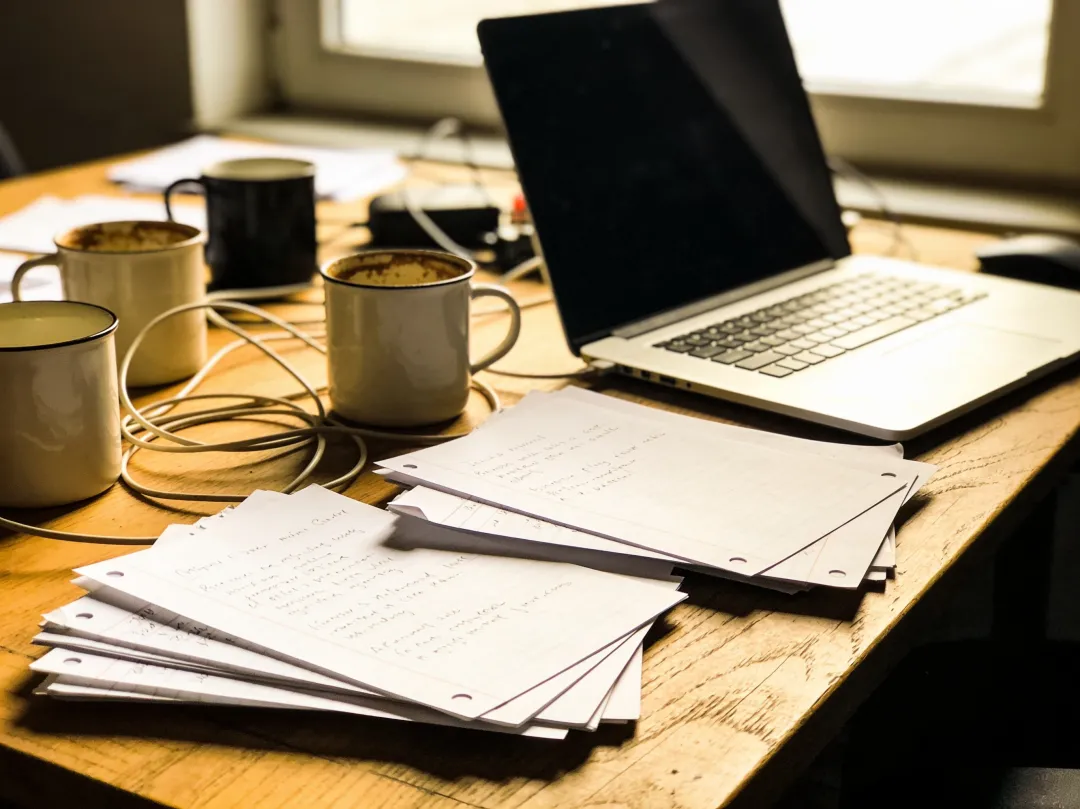

To try that exact instruction on your own photo, open the editor with the prompt prefilled and swap in your image.
GeniGPT also runs inside ChatGPT
The two are not mutually exclusive. GeniGPT also runs as a custom GPT inside ChatGPT, so if you prefer the conversational interface you can use GeniGPT's image models without leaving it — note that custom GPTs require a ChatGPT login, as of July 2026. The same tool is also available as a Telegram bot.
You can open the GeniGPT custom GPT directly, or message the Telegram bot if you would rather not open a browser at all. Either way it is the same independent tool underneath — GeniGPT does not run OpenAI's image models.
Questions, answered
Three questions come up whenever people compare these tools: whether ChatGPT's photo editing is actually free, whether either tool marks its images, and how GeniGPT relates to OpenAI. Short answers below — the ChatGPT-side facts reflect what we could verify as of July 2026, and the GeniGPT-side facts reflect how the tool behaved when we tested it the same day.
Is ChatGPT's photo editor free?
Partly. You need an OpenAI account to generate or edit images in ChatGPT, and as of July 2026 the free plan allows roughly two to three image generations per rolling 24-hour day. GeniGPT needs no account, and your first 3 generations are free.
Does ChatGPT put a watermark on images?
Not a visible one in normal use. As of July 2026, OpenAI embeds C2PA provenance metadata and an invisible watermark in images generated with ChatGPT. GeniGPT downloads carry no watermark either; provenance is disclosed invisible IPTC metadata.
Is GeniGPT affiliated with OpenAI or ChatGPT?
No. GeniGPT is an independent tool, not affiliated with OpenAI, and it does not run OpenAI's image models. For people who prefer the ChatGPT interface, GeniGPT publishes a custom GPT that runs inside ChatGPT.