How to make an AI headshot from one selfie
A professional headshot used to mean a photographer, a studio, and a half-day. The newer AI tools cut that down, but most still ask you to upload 10–20 photos and wait while a model trains. GeniGPT does it from a single selfie, free, with no signup and no watermark — usually in about a minute. Here's how.
Why one selfie is enough
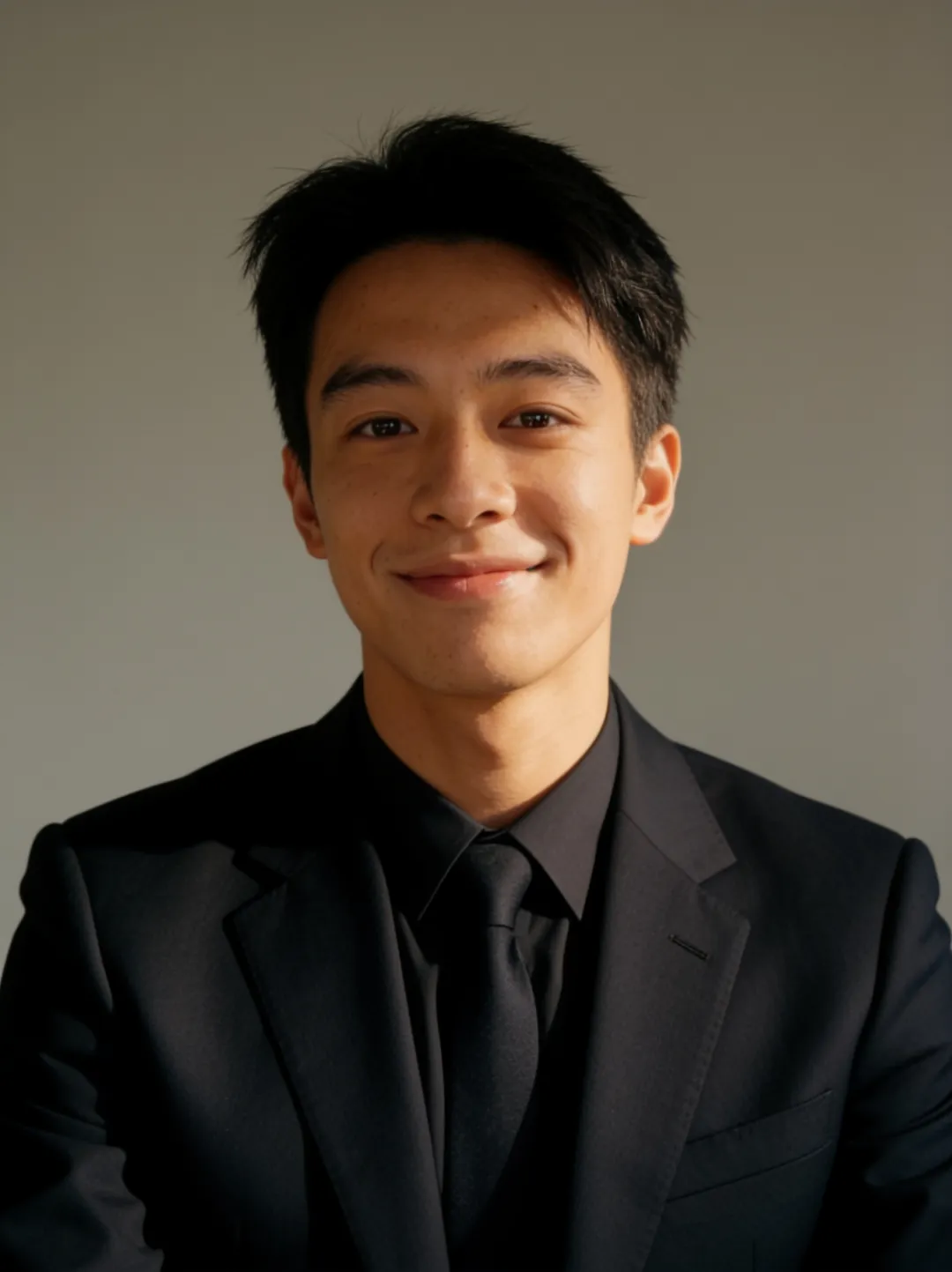
GeniGPT reads your face from one clear photo and places it into the headshot setting you describe — a clean studio backdrop, an office, soft daylight. There's no training step to wait through and no photo set to dig up. If you don't like the first result, change the prompt or the selfie and generate again.
Step by step
- Open the AI headshot generator (or Reimagine for portraits in any scene).
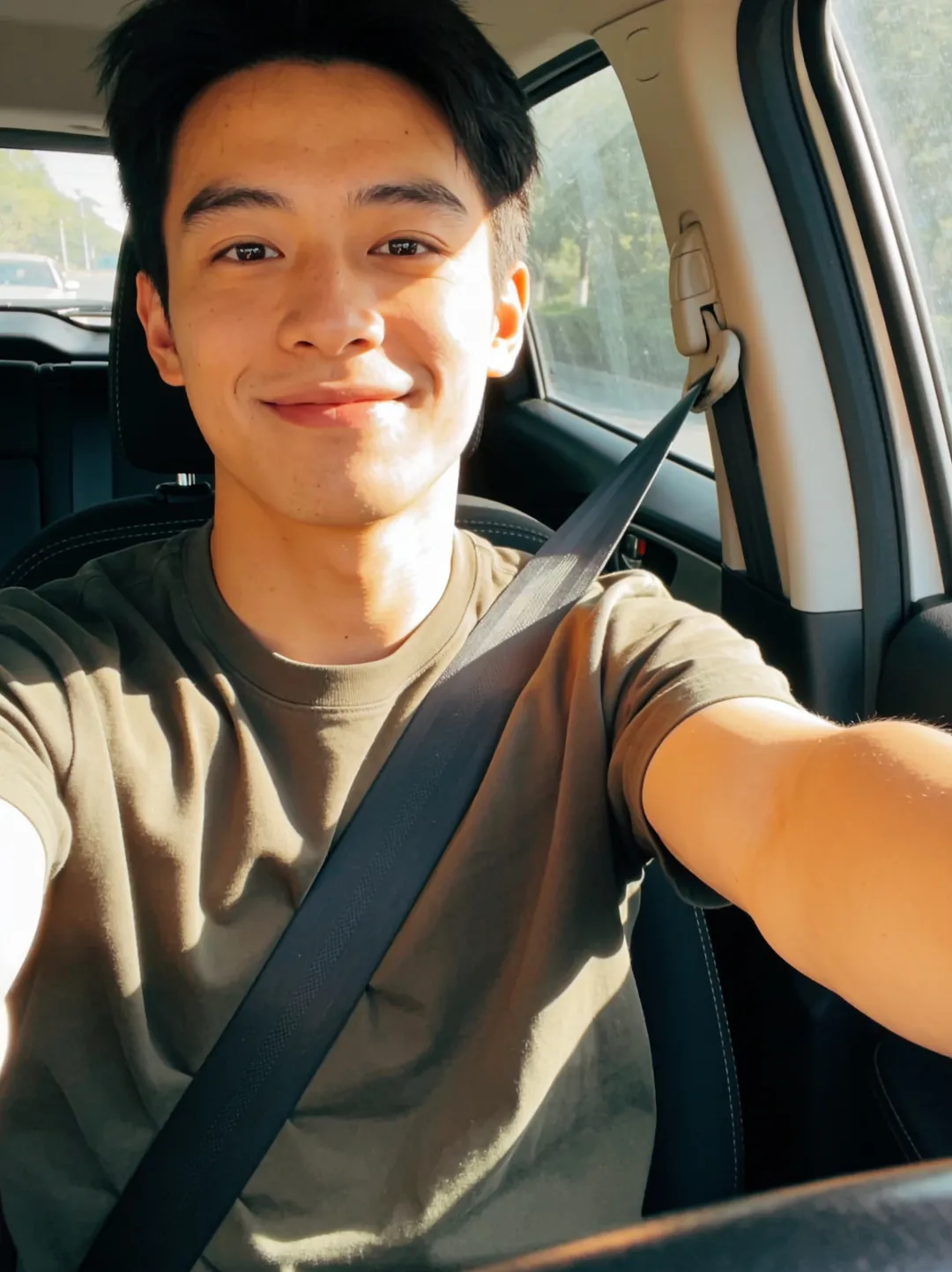
- Upload one clear, front-facing selfie. No account, no credit card.
- Describe the headshot you want — for example, "corporate headshot, soft daylight, neutral grey background, wearing a navy blazer."
- Generate. Your headshot is usually ready in about a minute.
- Download the full-resolution file — there's no watermark — and use it on LinkedIn, a CV, or a company page.
Tips for a good source selfie
- Face the camera with even, soft light — window light works well.
- Keep your face unobstructed: no sunglasses, no heavy shadow, hair off the face.
- Use a recent photo that looks like you today, so the likeness holds.
- A plain background in the source helps, but isn't required — you'll describe the final setting anyway.
How this compares to multi-photo headshot tools
Many AI headshot services are built around uploading a batch of 10–20 photos, training a personal model, and waiting — sometimes minutes, sometimes hours — before you see anything, usually behind a signup and a paywall. GeniGPT trades that for speed and simplicity: one selfie, a prompt, and a result in about a minute, free to try. The trade-off is that a trained model can squeeze out a little more consistency across a large batch; for a single strong headshot, one selfie is plenty.
Making it work as a LinkedIn photo
Most people will meet your headshot as a LinkedIn thumbnail — a small circle in search results, comment threads, and connection requests. At that size a recruiter registers a face, a rough sense of light, and not much else. Expression and framing carry the photo; the fabric of the blazer mostly disappears. So optimize for the small version first, and check it small before you commit.
- Fill the frame: head and shoulders, with your face taking up most of the height — wide or full-body shots vanish at thumbnail size.
- Keep contrast between you and the backdrop: a plain background clearly lighter or darker than your face and hair.
- Choose one light direction and an open expression — a slight smile reads better small than a neutral stare.
- Preview it tiny before uploading: zoom the downloaded file out to avatar size and check that the face still reads.
If you'd rather not write the wording yourself, start from the ready-made headshot prompts — they include LinkedIn-specific variants — and adjust the outfit and background to taste.
Responsible use
Use a photo of yourself, or someone who has clearly agreed to it. Don't create headshots of other people without their consent, and don't use images of minors. GeniGPT prohibits illegal content and images of real people made without consent — the full terms are in the terms and conditions.
Make yours
Start with one selfie — no signup, no watermark.
Questions, answered
How many photos do I need for an AI headshot?
With GeniGPT, one. A single clear, front-facing selfie is enough. Many other tools require 10–20 photos and a training wait.
Is the AI headshot free?
Yes, to start — your first generations are free with no account and no credit card, and downloads have no watermark. Pro credits add more generations and custom face models.
How long does an AI headshot take?
About a minute. Upload one selfie, describe the setting, and the headshot is usually ready in roughly sixty seconds.