AI outfit swap: change clothes in a photo by typing
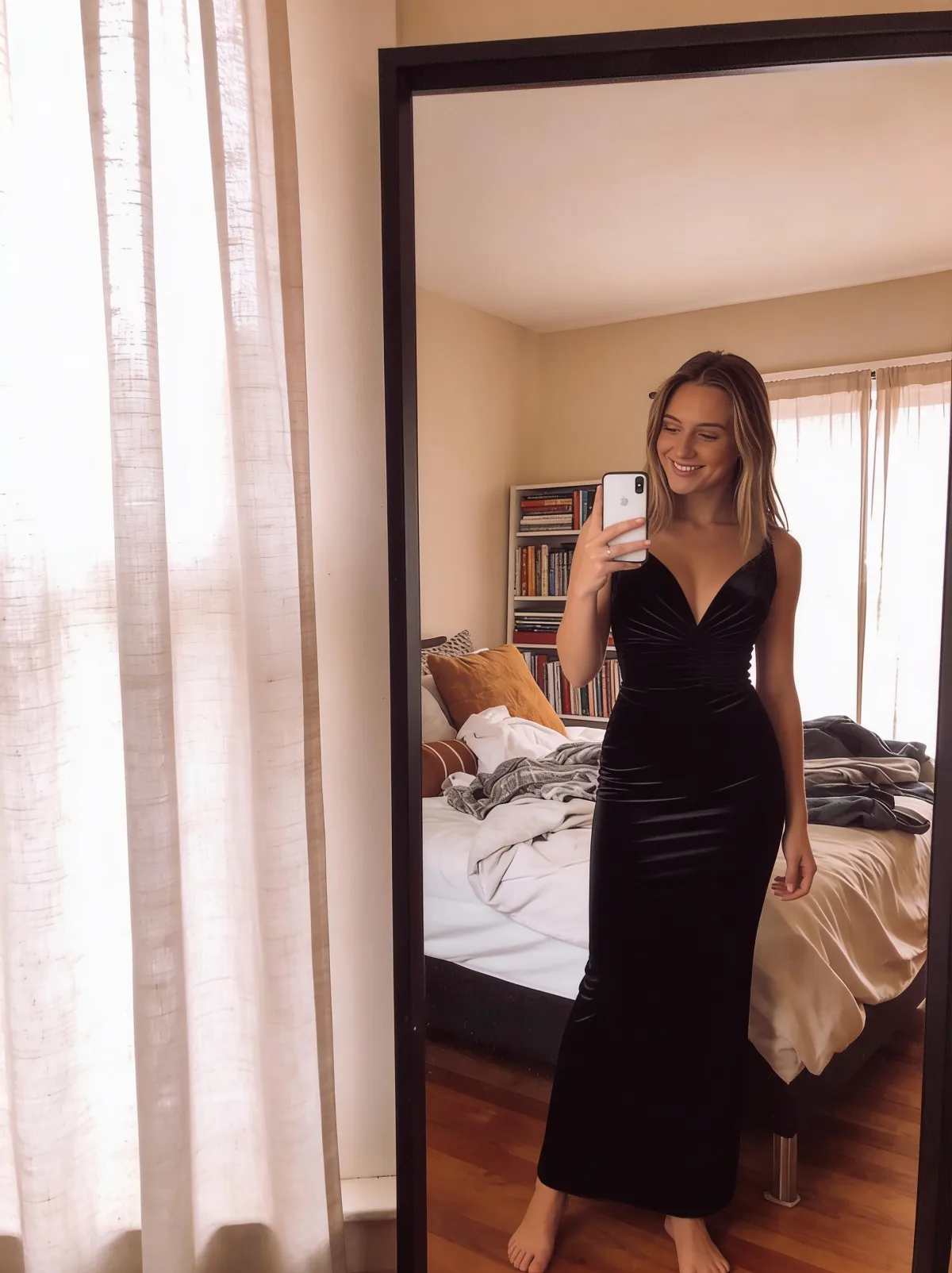
You don't need Photoshop, a pen tool, or an afternoon to change clothes in a photo. Upload the picture to an AI editor, type the outfit you want — a suit, a dress, a leather jacket — and download the result about a minute later. Here's how it works, with prompts you can copy.
What an AI outfit swap is
An AI outfit swap is a text-driven photo edit: the model repaints the clothing in your picture to match a written description while keeping the person's face, pose, lighting, and background as they were. There is no manual masking or cutting. You describe the new outfit in one plain sentence, and the editor handles the seams, folds, and shadows.
GeniGPT's AI photo editor does this in the browser. It accepts JPG, PNG, and WebP files, takes up to 4 photos in one edit, and returns images that are typically 1,000–1,800 px on the long side — with no watermark on any download.
How to change clothes in a photo, step by step
The whole swap runs in the browser with nothing to install and no account to make — your first 3 generations are free, with no signup and no card. Most edits are back in about a minute; complex prompts can take a few minutes. Here is the full sequence, from upload to download.
- Open the AI photo editor.
- Upload your photo — JPG, PNG, or WebP. Pick one where the clothes are mostly visible and not heavily obstructed.
- Type the change as one sentence, for example: Change the outfit to an elegant black evening dress. Name the garment and the color; add the fabric if it matters.
- Generate. Results usually arrive in about a minute.
- Download the file. There is no watermark, free or Pro.
A real example
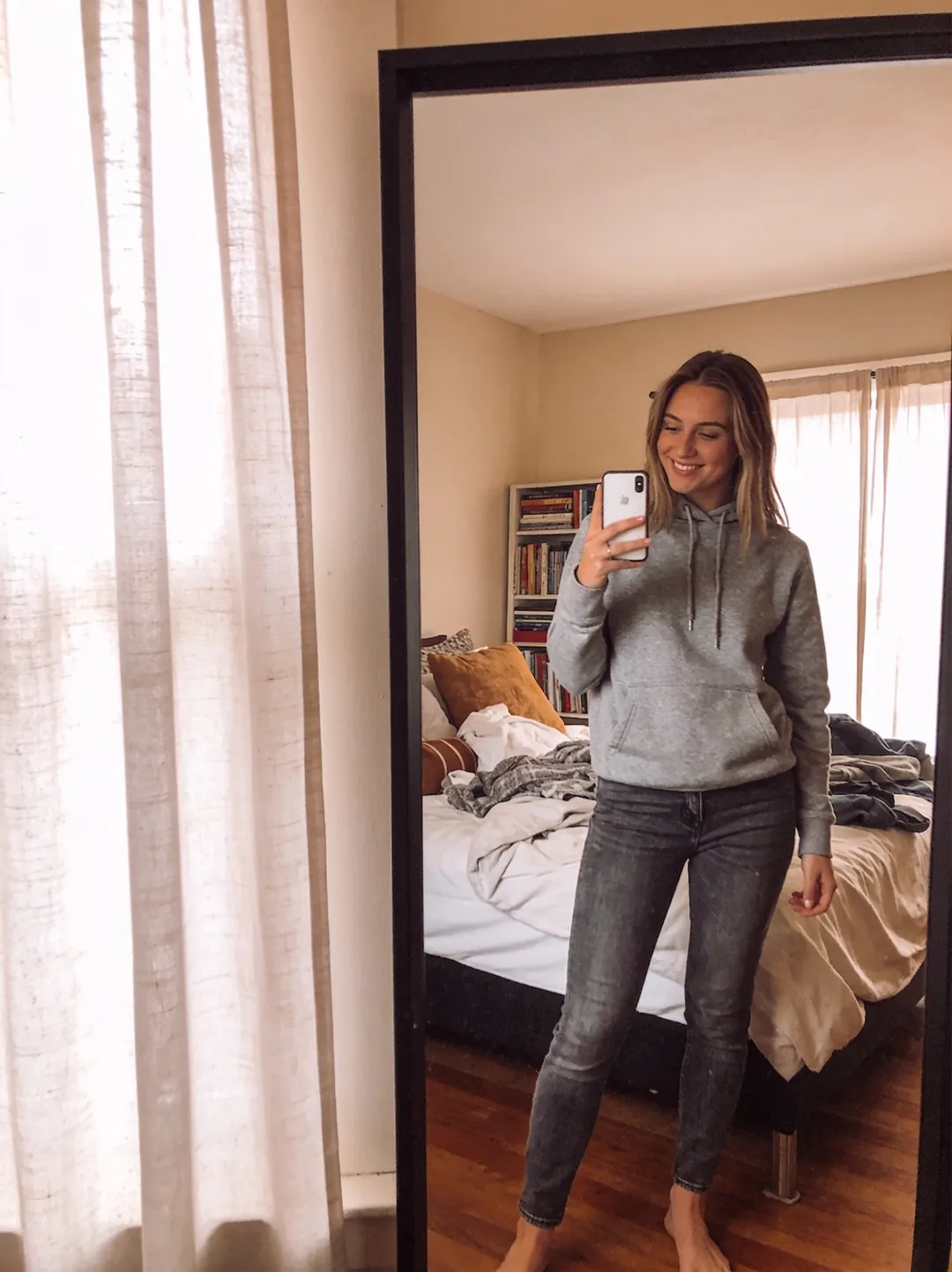
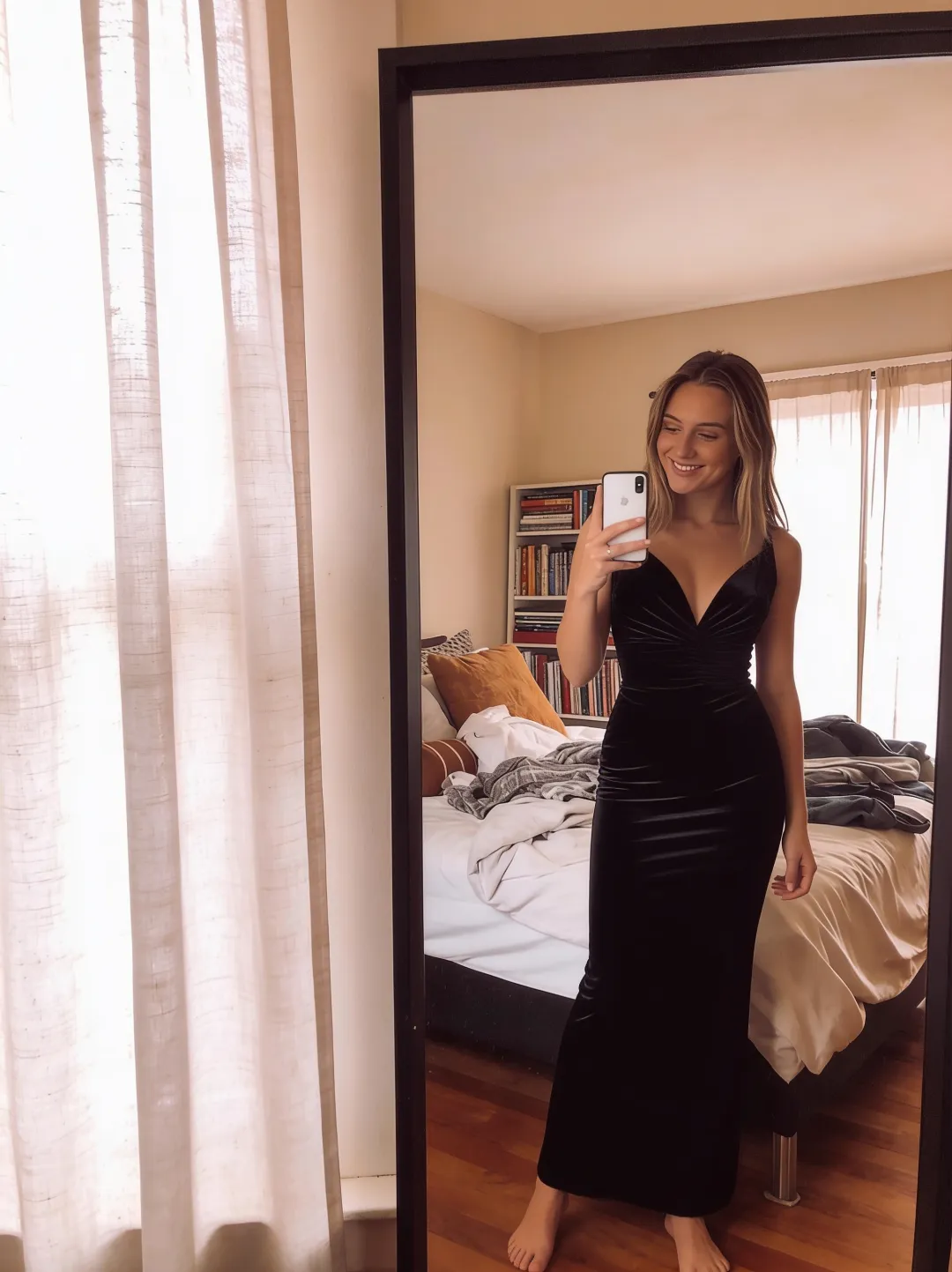
Below is a single edit, exactly as the tool returned it on July 2, 2026. The source is an ordinary mirror selfie in a grey hoodie and jeans; the prompt asked for one change and nothing else. The face, pose, phone, bedroom, and window light all carry over — only the clothes are new.
Outfit prompt ideas to try
Good outfit prompts are short and specific: name the garment, the color, and — when you care about it — the fabric. Make one change per prompt; if you want a new suit and a new background, run two edits. Each idea below opens the editor with the prompt already filled in, so you only add your photo.
- The suit — Change the outfit to a tailored navy suit with a white shirt and dark tie
- The evening dress — Change the outfit to an elegant black evening dress
- The leather jacket — Swap the top for a black leather jacket over a plain white t-shirt
- Traditional wear — Change the outfit to a traditional red silk sari with gold embroidery
- The winter layer — Change the outfit to a long camel wool coat with a cream scarf
Changing more than the clothes? The same typing approach works on the setting — see how to change a photo background with AI — and if the goal is a work profile, the headshot prompt library has ready-made prompts for that.
Keep it respectful
Swap outfits on photos you took or have the rights to edit, and get the other person's okay before changing what they are wearing — GeniGPT prohibits illegal content, sexual content involving minors, and images of real people without consent.
Try an outfit swap
Pick a photo where the clothes are clearly visible, open the editor, and type the outfit you would rather be wearing. Your first 3 generations are free — no signup, no account, no card — and the download has no watermark whether you stay on the free tier or move to Pro.
Frequently asked questions
Can AI really change clothes in a photo?
Yes. An AI photo editor repaints the clothing to match your written description while keeping the face, pose, lighting, and background from the original picture. Type one sentence naming the new outfit, generate, and download the edited photo — the edit usually takes about a minute.
Is the AI outfit swap free?
Your first 3 generations are free, with no signup, no account, and no card. Downloads never carry a watermark, on the free tier or on Pro. After the free generations, Pro credits unlock more edits.
Will the person still look like themselves?
That is the point of an outfit swap: only the clothes change, while the face, hair, pose, and background carry over from the source photo. If the likeness drifts, add keep the face, pose, and background exactly the same to the prompt and generate again.