Restyle prompts.
Prompts that keep your photo and change its medium — anime, watercolor, oil paint, film stocks, sketch, poster — each shown with the real before and after it produced. Copy a prompt, or click to load it into the editor pre-filled. Your first 3 generations are free — no signup, no card.
What a restyle keeps, and what it changes.
A restyle prompt changes the medium of a photo while the picture itself stays put — same composition, same subject, same light, redrawn as anime, watercolor, oil paint, or a vintage film frame. The two pairs below show how far a look can travel in one pass: the left image is the upload, the right is what one sentence returned.
Both pairs are real GeniGPT edits generated on July 2, 2026 with the same models the live tools run. The caption under each pair is the exact prompt, unedited.
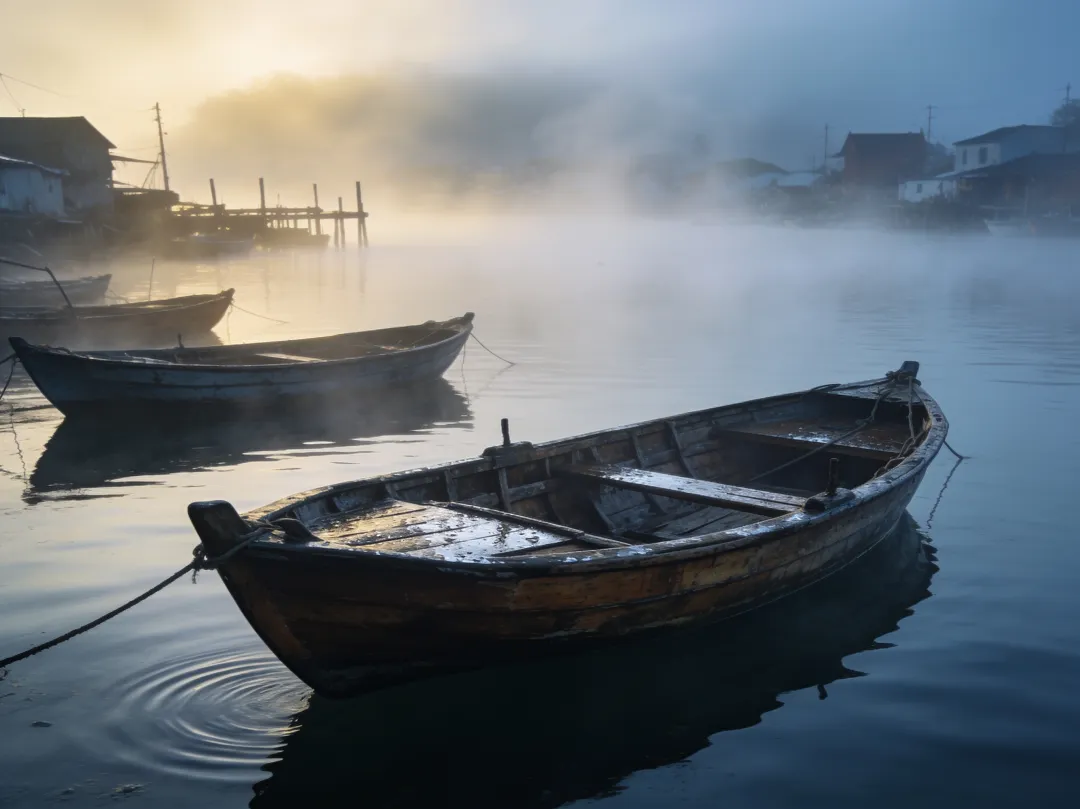
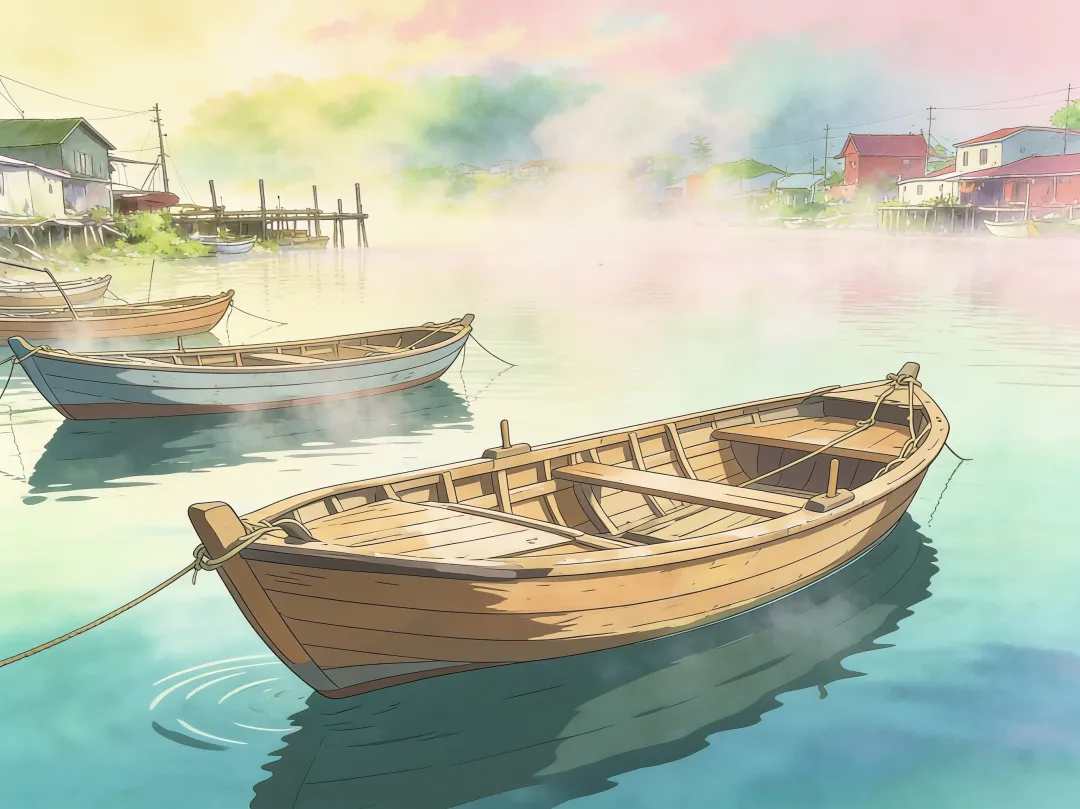
The anime pass keeps every boat where it was — the moorings, the pier, the houses on the far shore — and trades photographic fog for a pastel sky and drawn linework. Nothing was masked, selected, or retouched by hand; the sentence under the images is the entire instruction.
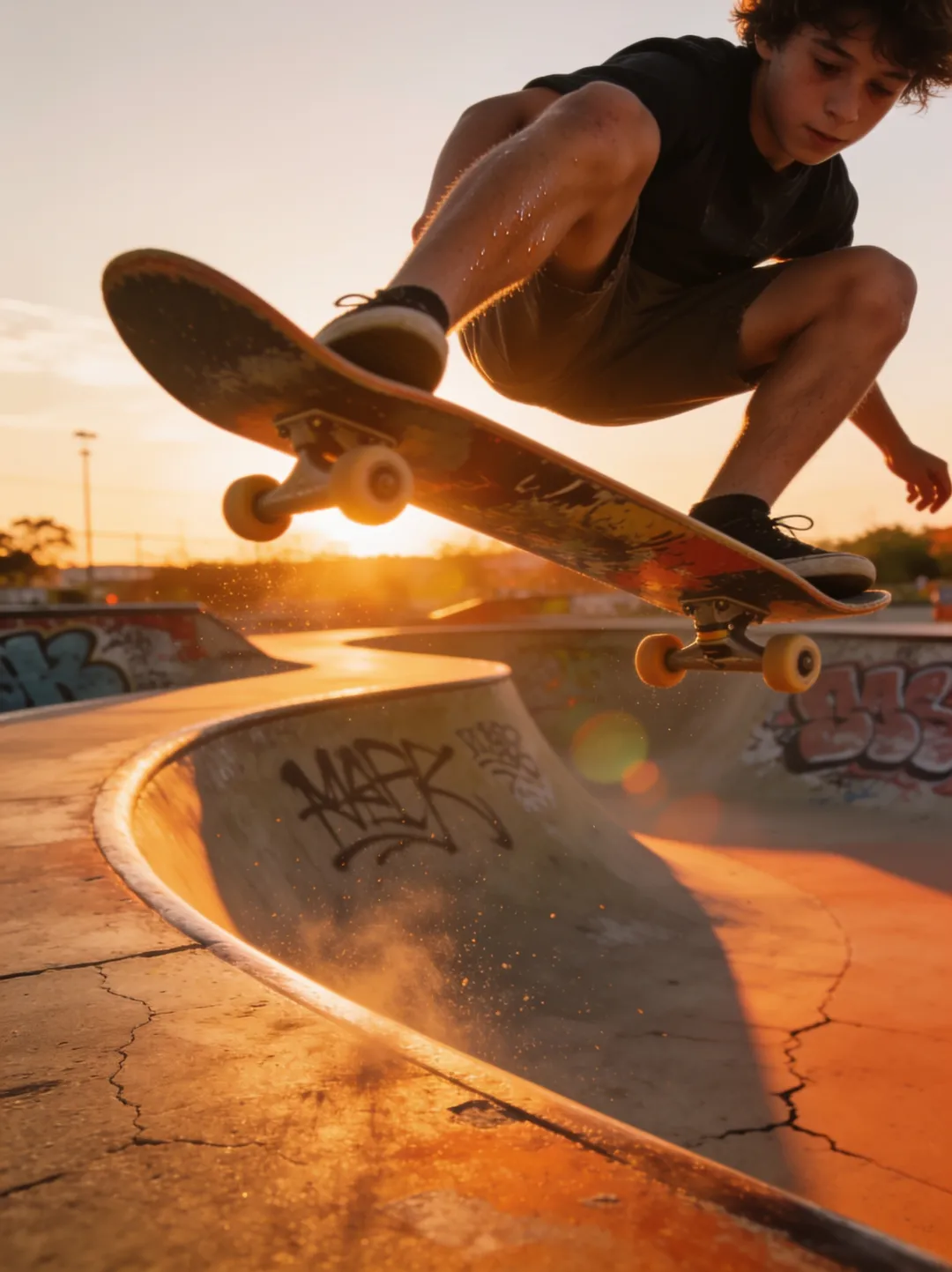
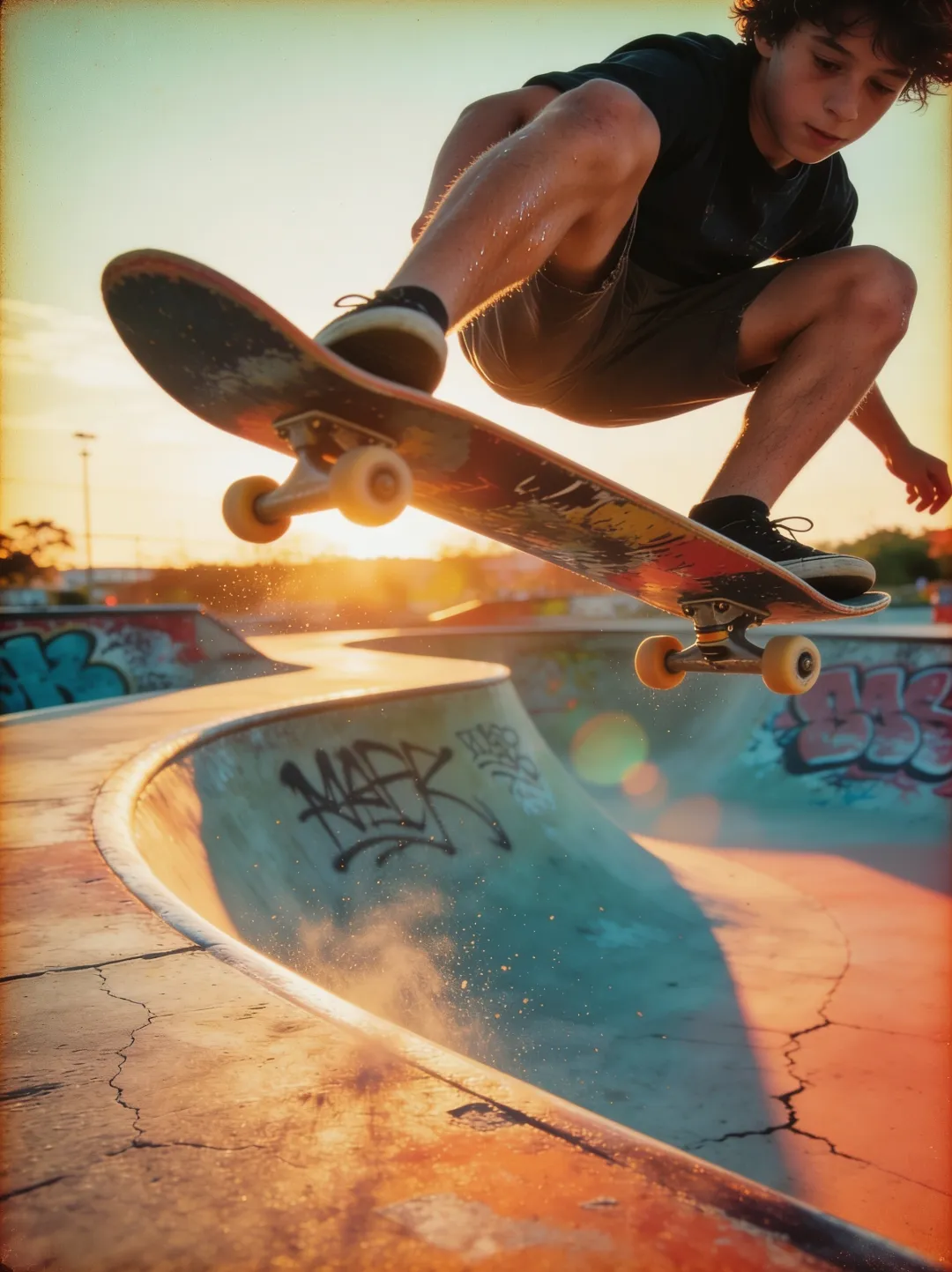
The film pass is subtler: the trick, the graffiti, and the low sun all survive, but the colors fade toward the warm, slightly washed palette of an old print, grain settles over the sky, and the edges pick up a light leak. For the full workflow — choosing a photo, iterating on a look, what strong styles do to faces — read the guide on turning a photo into another style.
Ten restyle prompts to copy.
Ten prompts that reliably move a photo into a new medium, grouped by look. Each one is written to be pasted as-is: click a prompt to open the AI photo editor with the text already filled in, upload your photo, and run it. Your first 3 generations are free — no signup, no card.
- Anime. Turn this photo into a hand-drawn anime film illustration with a soft pastel palette
- Watercolor. Turn this photo into a soft watercolor painting
- Oil painting. Turn this into a classical oil painting portrait with Rembrandt lighting
- 1970s film. Make this look like a 1970s film photograph with grain and faded colors
- Black-and-white film. Make this look like a black-and-white 35mm film photograph with strong grain and deep contrast
- Pencil sketch. Turn this photo into a detailed pencil sketch with cross-hatching
- Charcoal. Turn this photo into a loose charcoal drawing on textured paper
- Poster. Turn this photo into a minimalist vintage travel poster with flat colors and bold shapes
- Comic. Turn this photo into a comic book panel with bold ink outlines and halftone dots
- Cyberpunk. Make it a cyberpunk night scene with neon signs and rain
Every link opens the AI photo editor with the prompt pre-filled — it accepts JPG, PNG, or WebP, and up to 4 photos in one edit. Working from a picture rather than a blank box is also the home ground of the image-to-image AI tool. Results usually arrive in about a minute; complex prompts can take a few minutes.
One tip: name the medium, anchor the subject.
The single habit that improves restyle results the most: name the medium precisely, then anchor what must not move. “Make it artistic” gives the model a guess; “turn this photo into a soft watercolor painting” gives it a job. And ending with “keep the composition and subject exactly the same” stops the style from rewriting the scene.
Precision means naming the things an artist would decide — the era (1970s, not just vintage), the material (charcoal on textured paper, not just drawing), the palette (soft pastel, faded, deep contrast). Run one style per pass: if you want a watercolor and a new background, do the background first, download the result, and feed it back in for the style. Each pass takes about a minute.
Restyle is one of several collections in the prompt library — background changes and headshots follow the same format, every prompt paired with the real output it produced.
Questions, answered.
Do these prompts work on my own photos?
Yes — upload your photo in the AI photo editor, paste a prompt, and run it. The editor accepts JPG, PNG, or WebP, up to 4 photos in one edit, and results usually arrive in about a minute; complex prompts can take a few minutes. Your first 3 generations are free — no signup, no card.
Will a restyle change the people in my photo?
A restyle is meant to change the medium, not the subject — pose, framing, and scene carry over. Strong styles do simplify detail: an anime pass redraws a face the way an illustrator would, and heavy film grain softens fine texture. If the subject drifts too far, add “keep the composition and subject exactly the same” to the end of the prompt and run it again.